

TL;DR
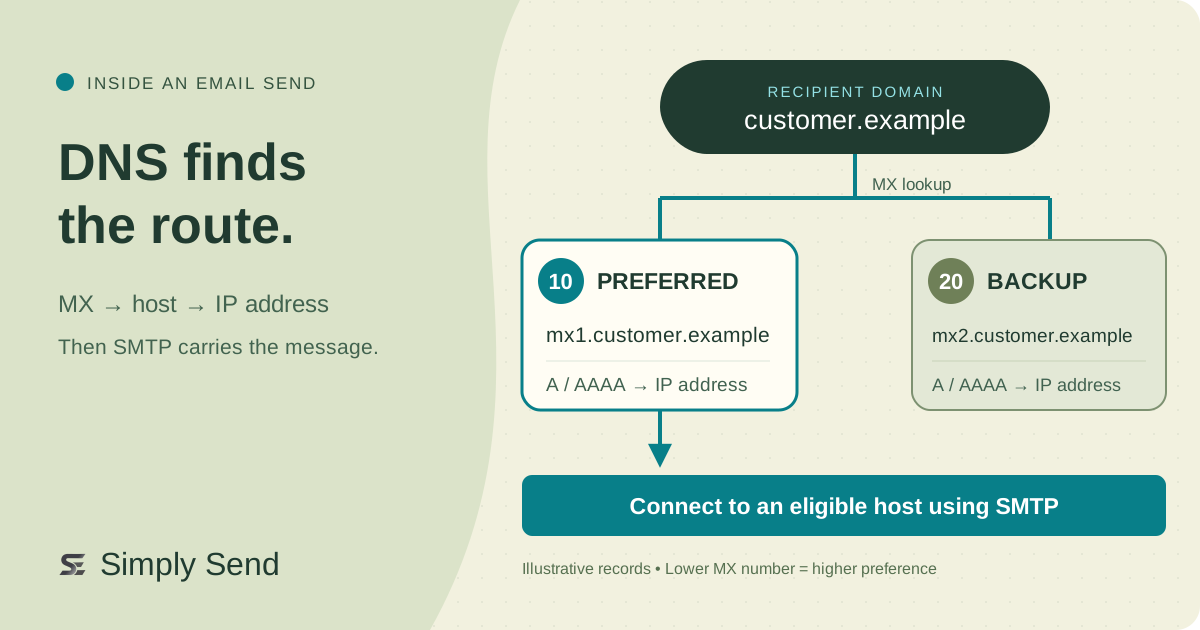
The sending mail system queries the recipient domain’s MX records, then resolves the listed hosts to IP addresses before opening an SMTP connection. Lower MX numbers are preferred; backup hosts provide alternatives. Cached DNS answers can delay routing changes. Missing MX records, temporary lookup failures, and a domain that explicitly accepts no mail are different cases. Start troubleshooting by inspecting MX answers and the addresses behind them.
Start with the recipient domain
For [email protected], the sending system looks up customer.example. It uses the SMTP envelope’s delivery recipient, which can differ from the visible To field. With an email service, its outbound system handles this stage.
A recursive resolver is the DNS service that finds answers for a client. It can reuse a cached answer or follow DNS referrals toward the authoritative servers responsible for the domain. An MX record, short for mail exchanger, names a host that accepts mail for that domain.
Turn MX records into a connection
MX priority ranks receiving hosts for a domain; it does not mark a message as urgent. Values range from 0 to 65,535. Lower numbers are preferred. These fictional records make mx1 the preferred host and mx2 an alternative:
| Name | Type | Priority | Mail server |
|---|---|---|---|
| customer.example. | MX | 10 | mx1.customer.example. |
| customer.example. | MX | 20 | mx2.customer.example. |
Using 10, 20, and 30 leaves room to insert priority 15 later. These gaps are an administrative convenience, not a protocol requirement: 1 and 2 work too. Equal-priority hosts are normally randomized, without guaranteeing an exact traffic split. Follow your receiving service’s specified values.
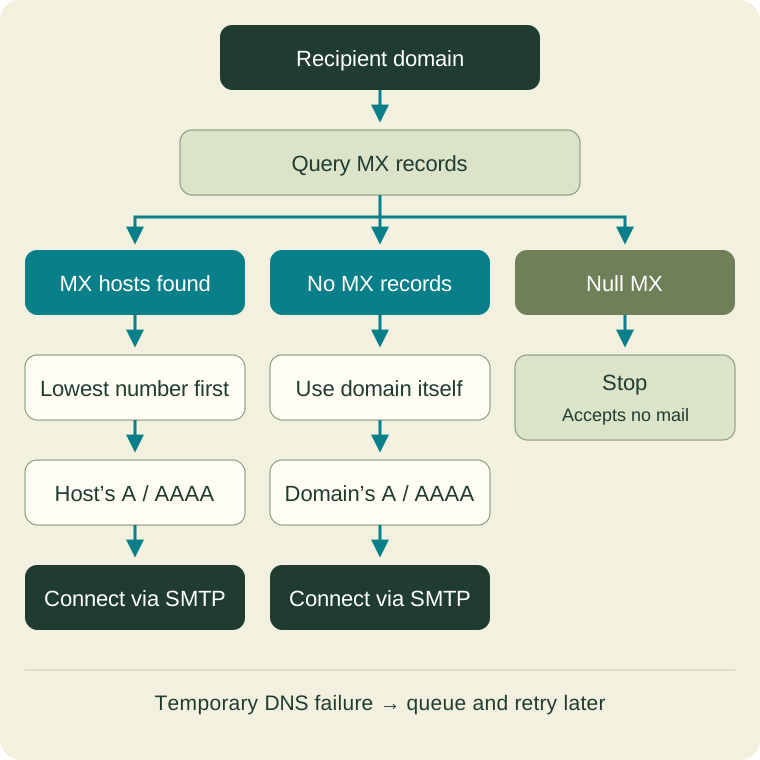
The sender resolves the selected host’s A or AAAA records into IPv4 or IPv6 addresses, then connects using SMTP on port 25. Other eligible hosts provide alternatives after connection failures. A receiving host may be a filtering gateway; discovering it does not prove mailbox existence or inbox placement.
Follow the lookup
Understand cached answers
DNS records have a time to live, or TTL, measured in seconds. This limits answer caching. Record changes do not instantly replace previously cached answers. Before moving receiving services, plan around existing TTLs and compare authoritative and cached answers.
Handle different DNS outcomes
A successful lookup with no MX records can trigger SMTP’s fallback to the domain’s own A or AAAA addresses. That differs from a nonexistent domain or a temporary DNS failure; temporary failures call for queuing and a later retry.
A null MX is another distinct answer: a single MX record with priority 0 and destination a dot, written as 0 .. It explicitly announces that the domain accepts no email. Do not interpret it as a backup route or try the domain’s web server instead.
Inspect before changing records
For a domain you manage, inspect its MX response with dig MX your-domain.example, replacing the example name. Check each returned hostname’s A and AAAA answers, the priorities, and TTLs. Record the DNS response status separately from any SMTP error. Separate discovery failures from SMTP rejection before changing records.